User guide
Documents
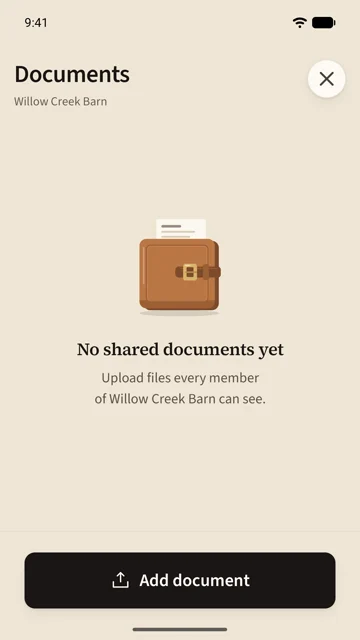
Saddle keeps paperwork in two places that look alike and behave differently. A horse's Documents are private to you: registration, Coggins, vet records. The barn's Documents are a shared folder every member can open: the boarding agreement, the feed chart, a show entry.
Add a document
- Open Documents from the horse's page or the Barn tab. The page says whose folder it is and who can see it.
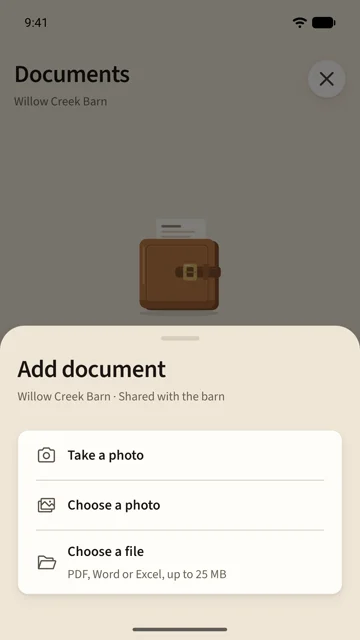
- Tap Add document and choose Take a photo, Choose a photo or Choose a file. Files can be PDF, Word or Excel, up to 25 MB each.
- The document appears in the grid at once, with a small mark while it uploads.
A photo taken on the spot gets a dated name. Rename it any time.
Open and keep a document
Tap a document to open it. The first time, Saddle downloads the file and keeps it on your phone, so anything you have opened once is there with no signal. A document you have not opened yet shows a plain sheet in the grid.
To free space, open the document's options and choose Remove from device. The document stays in Saddle and downloads again when you next open it.
Who can do what
| A horse's documents | The barn's documents | |
|---|---|---|
| See them | Only you | Every member |
| Add them | You | Any member |
| Delete them | You | Whoever added it, and the owner |
Storage
Every account has 100 MB of document storage; Saddle Pro has 10 GB. The documents page says when you are getting close, and uploads wait rather than fail if you reach it.