User guide
Barn
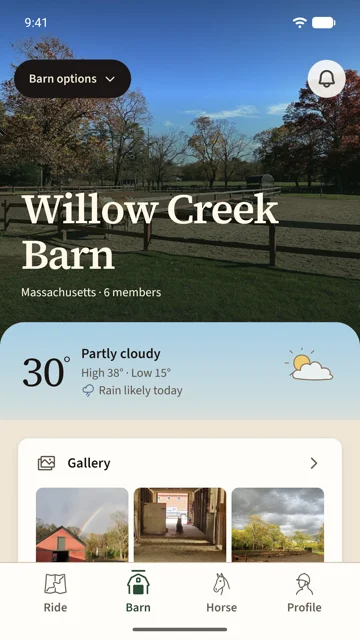
A barn is the people you ride with and what you share: the weather at the barn, a photo gallery, a bulletin board, a calendar, a document folder and the members list. The Barn tab is its home.
On this page
Join or start a barn
On the Barn tab, or from Barn options › Add barn, you get three doors.
- Find nearby barns finds the barn you are standing at. It only works there, so nobody can browse barns from home.
- Join with an invite scans the barn's QR code or takes its 6-character code. A link someone sent you opens here too.
- Start a barn makes you its owner. Give it a name, a photo and a location on the map; the location is where its weather comes from.
Joining always asks the owner. You see the barn while your request is pending, and the owner gets a notification to accept or decline.
Invite riders
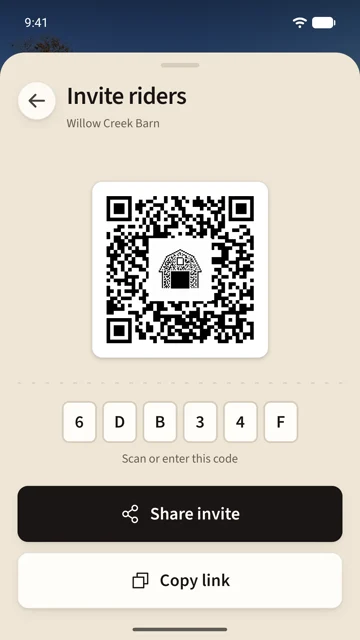
Tap Barn options at the top of the tab. The invite is right there: a QR code the other rider scans, the six-character code they can type, Share invite to send the link, and Copy link. The same card opens from Invite riders at the foot of the members list.
Anyone with the code can ask to join, and nobody gets in without you, so the code is safe to pin up in the tack room.
Members
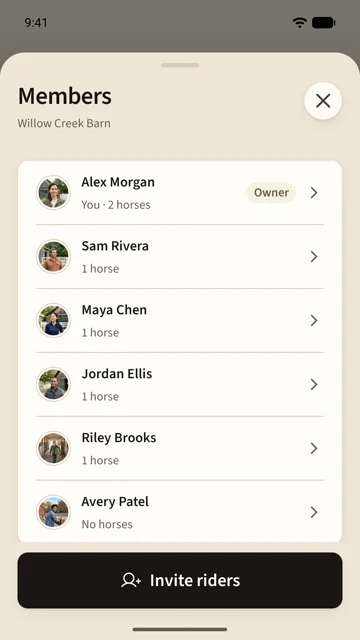
Tap Members on the Barn tab. The owner carries an Owner mark; every row shows the rider's horses at this barn. Tap a rider to see their horses and to add them to your safety group.
Only the owner can remove a member, approve requests, edit the barn, or hand the barn over. Removing a member takes their horses out of the barn with them.
The bulletin
Bulletin is the barn's cork board. Add post pins a note with a headline and a few lines; each post says who pinned it and how long it stays up. Anyone can post, and the owner can take any post down.
The gallery
Gallery holds every photo posted to the barn, newest first. Add photo takes one or picks one from your library. Each photo names who posted it and when. Touch and hold a photo, or tap its ⋯, to save it to your phone or delete it. You can delete your own; the owner can delete any.
Weather
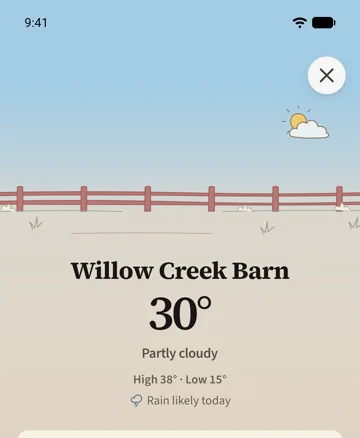
The weather band on the Barn tab shows the temperature at the barn right now, today's high and low, and a rain line when rain is likely. Tap it for the forecast. The hourly curve for the next 24 hours is part of Saddle Pro. Your horses' blankets read the same forecast; see Blankets.
Edit or leave the barn
Owners find Edit barn under Barn options: the photo, the name, the location, and Discoverable, which lets riders at the barn find it with Find nearby barns. Off, riders join only with your invitation.
To leave, open Edit barn and choose Hand over and leave. Your horses leave with you and stay yours. Photos and posts you shared stay on the board. An owner hands the barn to its longest-standing member on the way out.