User guide
Account
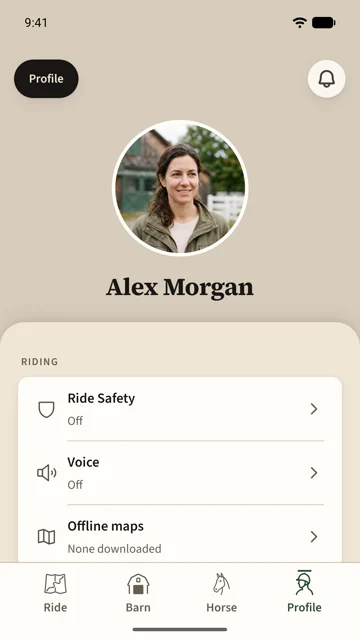
The Profile tab is you: your photo and name, your riding settings, the app's preferences, Saddle Pro, and your account itself.
Edit your profile
Tap Profile at the top of the tab. Change the photo, your name and a short bio; each saves as you go. The email you sign in with is shown but not changed here.
Riding
- Ride Safety is your safety group and ride defaults; see Ride Safety.
- Voice chooses what is spoken while you ride: the time each minute, each mile or kilometre, and waypoints. Part of Saddle Pro.
- Offline maps downloads the map where you ride, around your barns or an area you choose, so the Ride tab draws with no signal. Part of Saddle Pro.
Preferences
- Appearance picks the app's look: Saddlesoap and Porcelain are light, Forest and Midnight are dark.
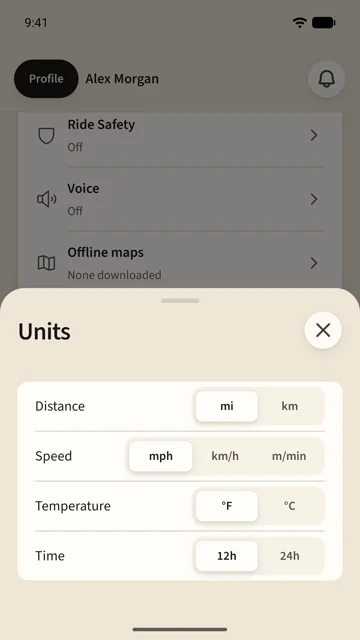
- Units sets distance (miles or kilometres), speed (mph, km/h or metres per minute), temperature and 12- or 24-hour time. Everything in the app follows at once; your rides keep their recorded data.
- Notifications chooses, for each kind of thing, whether it reaches your phone or waits in the app's list. Join requests, your membership, barn events and safety invites come to the phone by default; barn photos and members joining stay in the app. Ride Safety alerts always come to the phone. The row at the top says whether this phone allows notifications at all.
- Permissions shows what the phone has allowed: location for rides and nearby barns, the camera for invites and photos, your photo library, and saving to photos. Tap a row to grant it or to open the phone's settings.
- Share for research lets your rides' motion data help improve ride analysis. It is off by default and changes nothing about your own ride backup.
Saddle Pro
Saddle Pro is a subscription, monthly or annual, bought in the app. It adds premium maps, offline maps, the route editor, the hourly forecast at your barn, voice on rides, and 10 GB of document storage. Without it, those rows offer Saddle Pro and everything else in the app works the same. Restore purchases brings a subscription to a new phone.
Your account
- Set a password adds a password to an account that signs in by code. With one, Saddle asks for it first and still offers a code if you forget it. Changing it signs out every other phone.
- Map credits names the map data behind the Ride tab.
- Sign out keeps everything in your account for the next sign-in.
- Delete account is at the end of Edit profile. Your horses, rides, photos, documents and posts are removed; a barn you own passes to its longest-standing member, or closes with you if you were its only member. Deletion runs 30 days later. Sign in during those days and Saddle offers Restore account.